

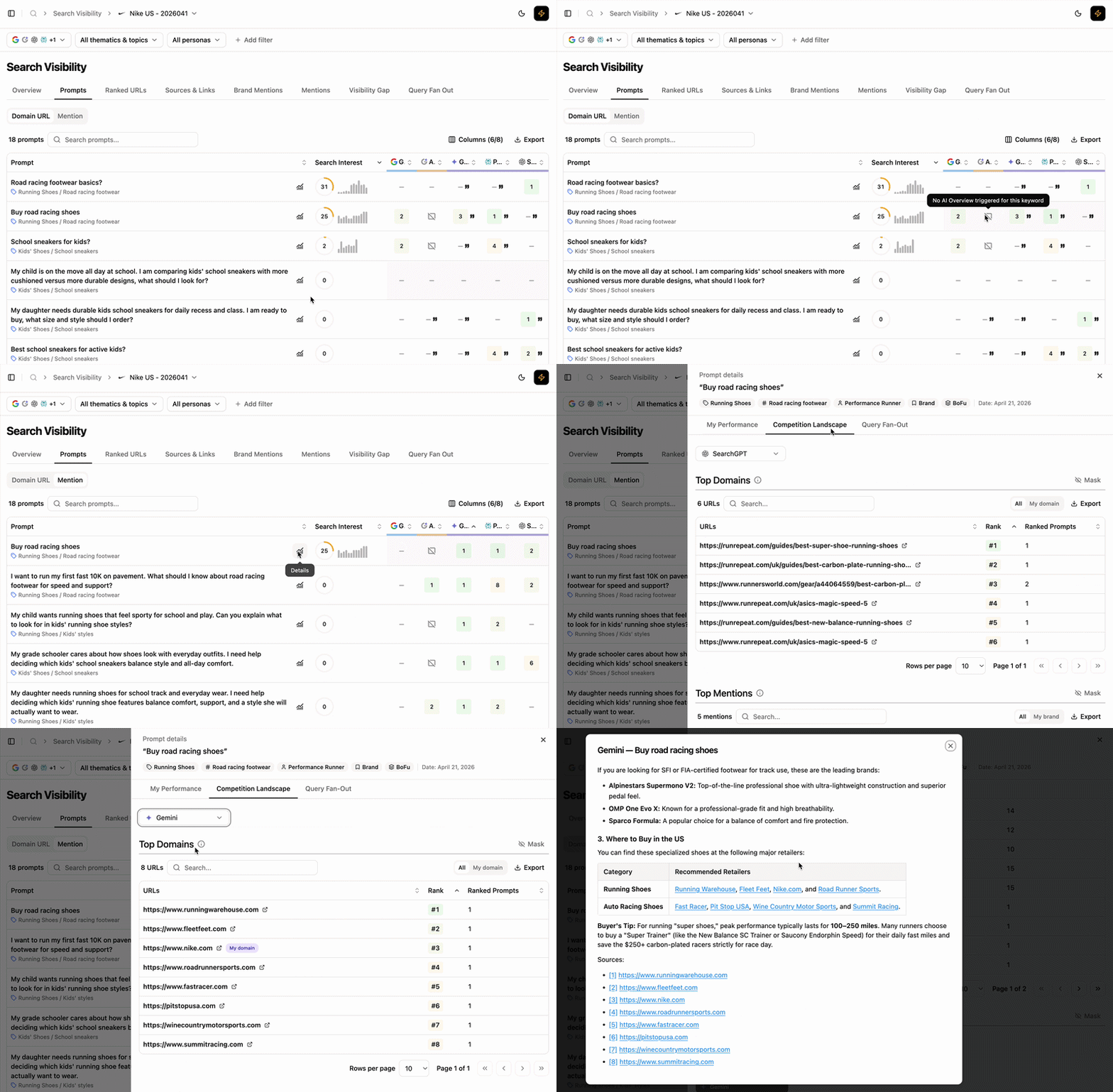
Prompts view
What this view helps you analyse
You get prompt-level visibility across both traditional and generative engines.Compare Domain and Brand performance
Toggle between two display modes at the top of the page: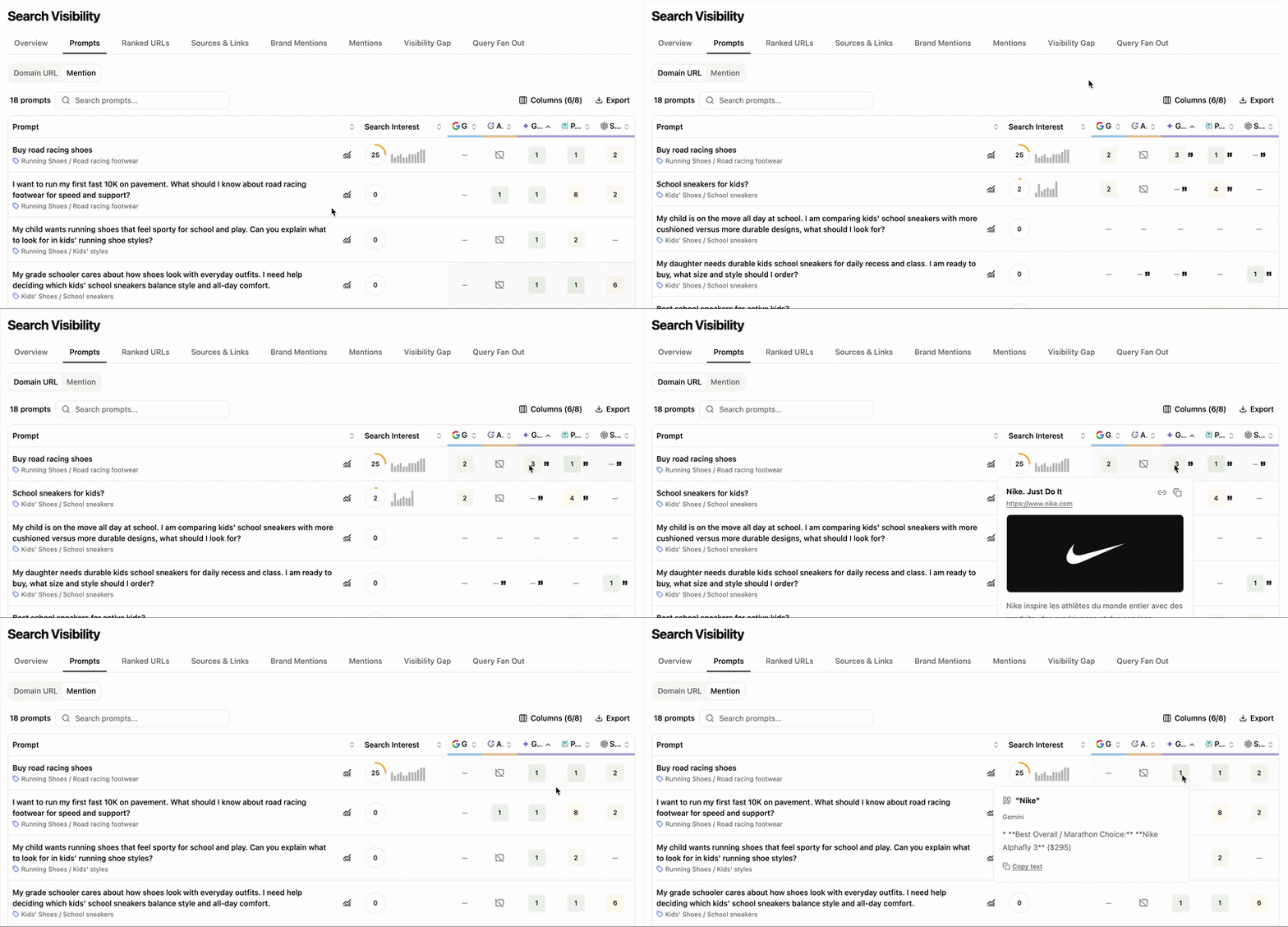
Domain URL vs Brand Mention toggle
- Domain URL — positions of your URLs across engines. Brand mentions are flagged with quotes (
") next to the URL position. - Brand Mention — positions of your brand mentions across engines.
How prompts are positioned and mentioned
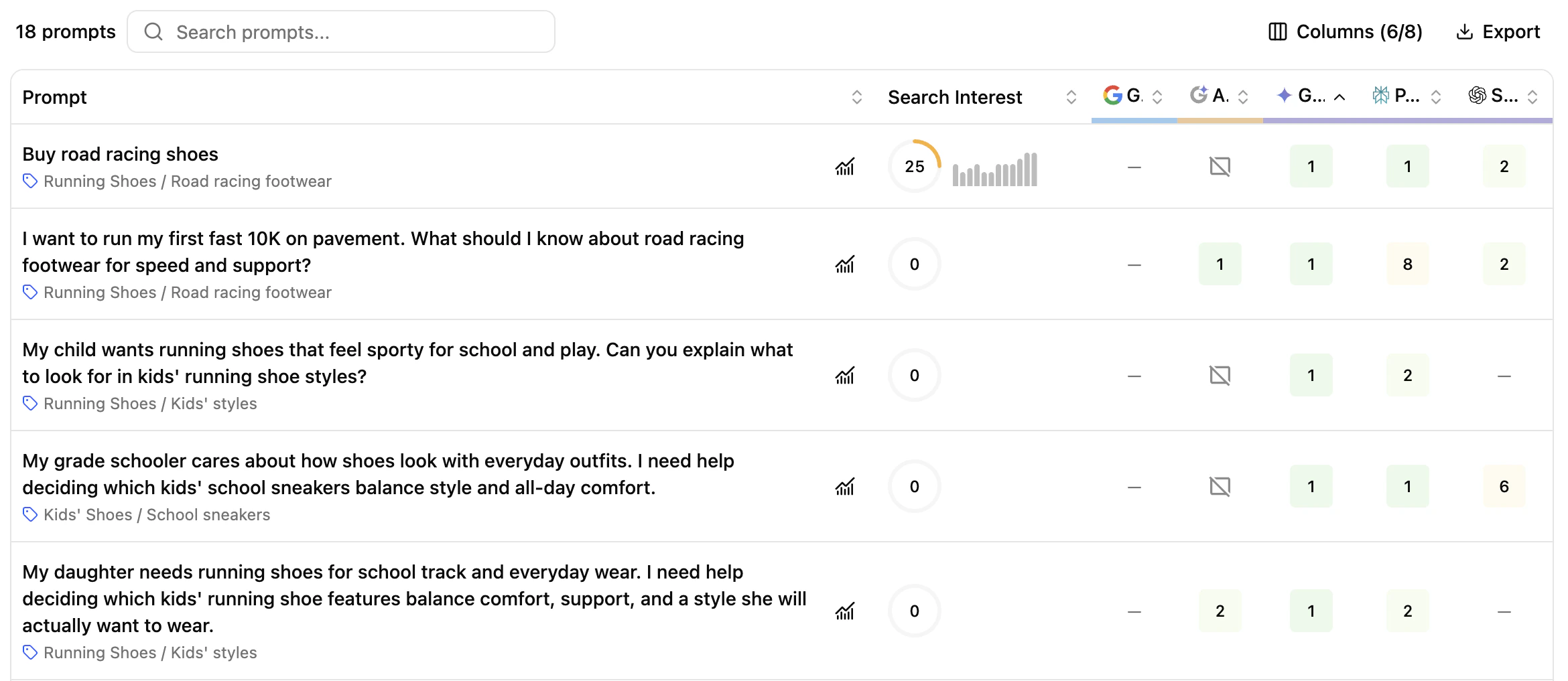
Prompt-level rankings table
- Prompt — every prompt entered during setup, with its thematic and topic.
- Search Interest — score based on Google Ad Planner search volume of the main keywords in the prompt, weighted by relevance and 12-month trend.
- Engines — positions of your domain URL and brand mentions across:
- Search engines (Google, Bing) — domain URL only
- AI Overviews (Google AI Overview, Bing AI Overview) — both modes
- Generative engines (Gemini, Perplexity, SearchGPT, Google AI Mode, Claude) — both modes
Columns (6/8) button)
- Tag — prompt categorisation (prompt-type, strength/weakness, persona, funnel stage)
- Volume (Avg.) — search volume for the prompt as retrieved from the SEMrush API
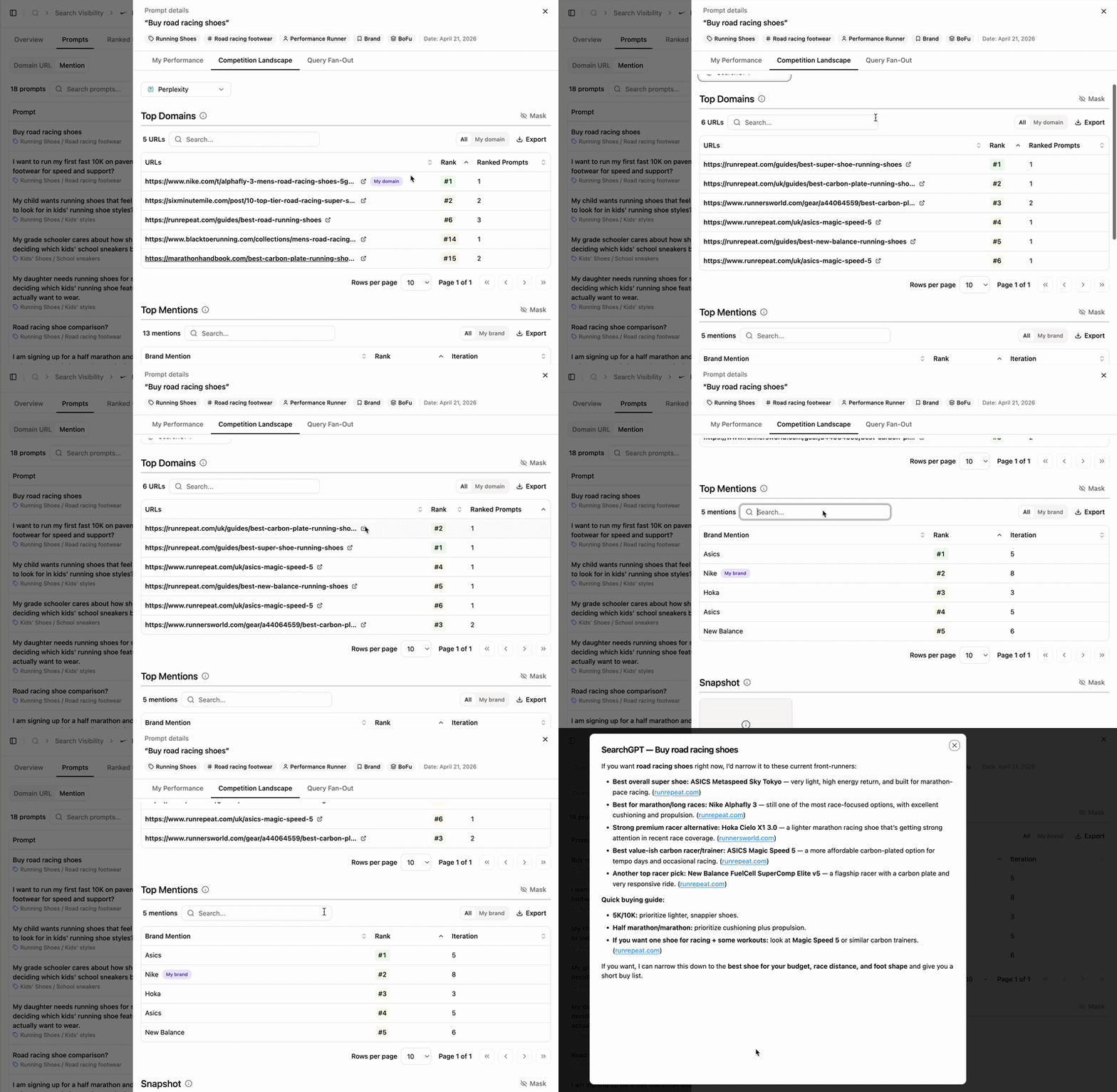
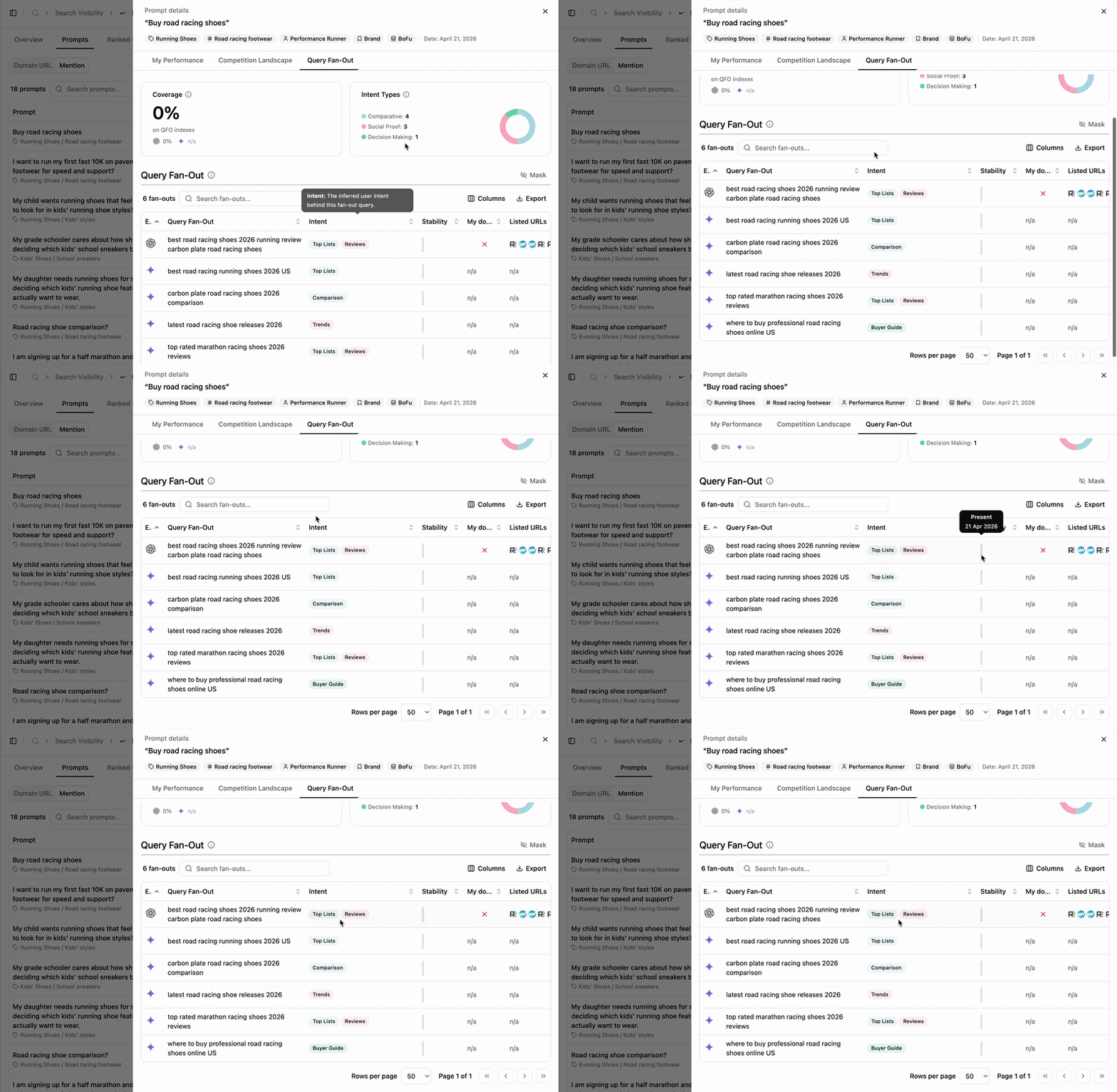
Prompt details: position vs. competitor landscape
Click a prompt or the Details button to open the side panel.
Prompt details side panel
- My performance
- Competition Landscape
- Query fan-out
Three sections cover how your domain and brand appear in results.Ranked URLs — your highest-positioned URLs for the prompt.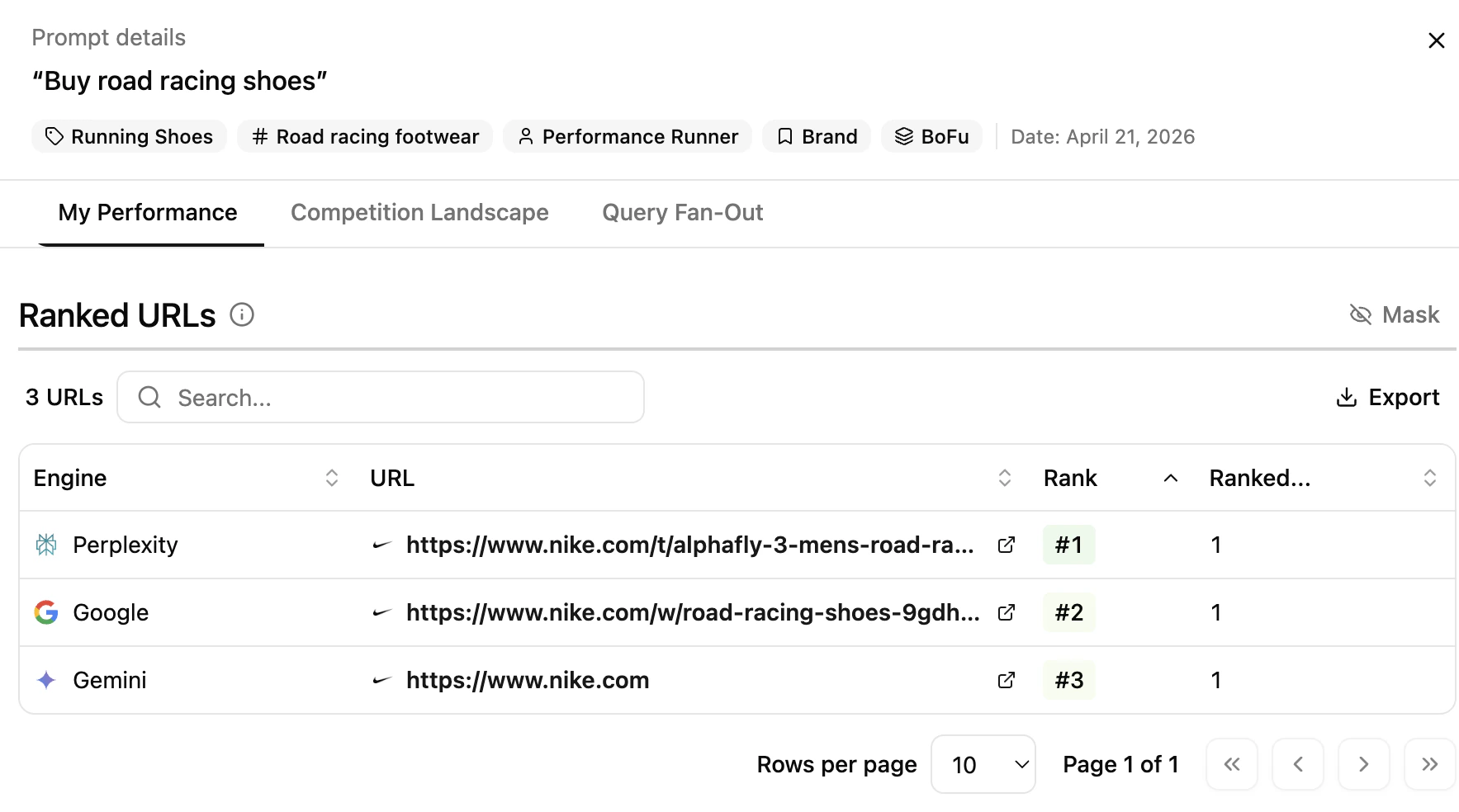
Ranked URLs
- Engine — engine where your domain ranks
- URL — the ranked URL (clickable)
- Position — rank of your URL
- Total Prompts — number of times this URL appears across all audited prompts on the engine
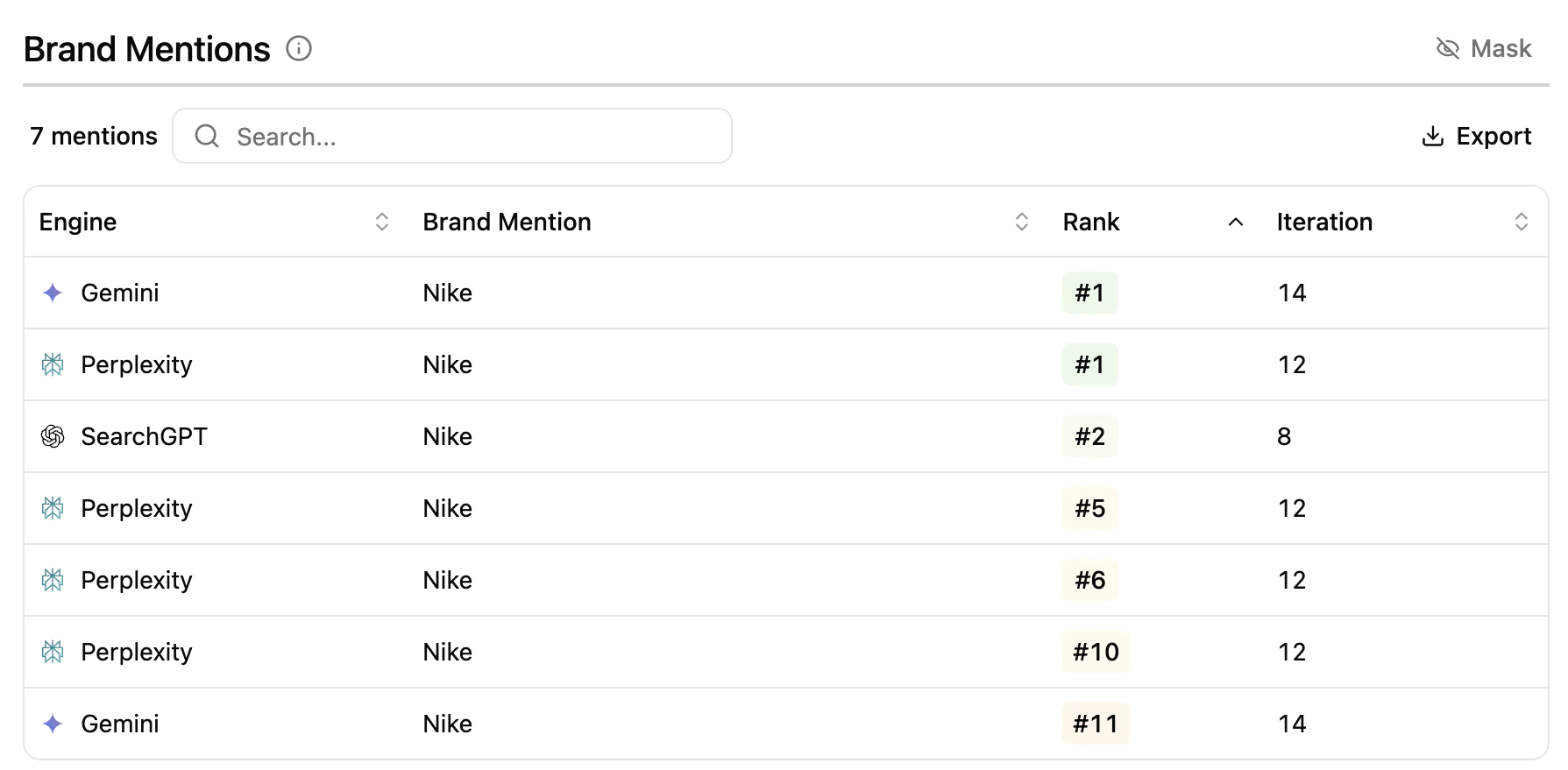
Brand Mentions
- Engine — engine where the mention is found
- Brand Mention — name of the brand mentioned in AI Overview / generative answers
- Position — rank of the mention
- Iteration — number of times the mention was detected across audited prompts
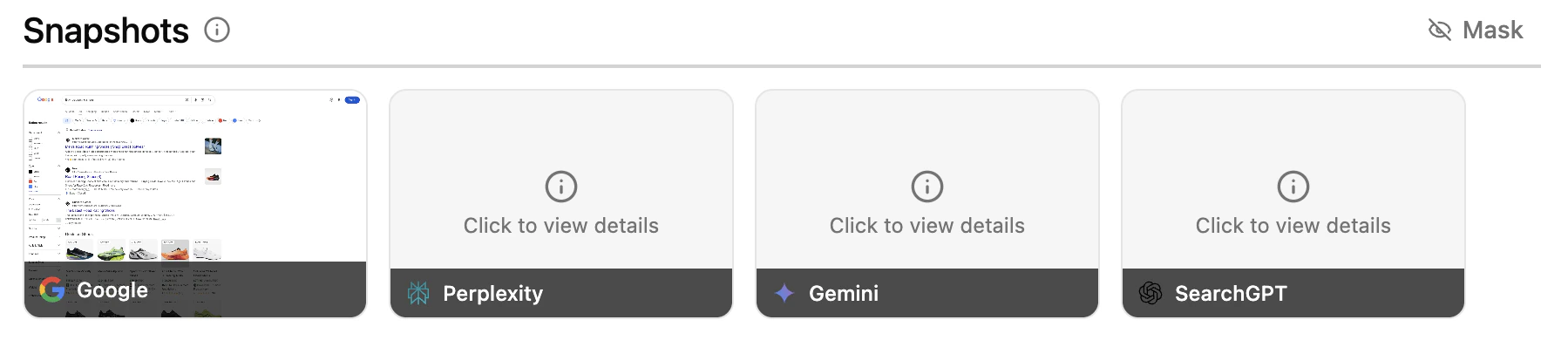
Snapshots
Key benefits
- Visualize prompts where your domain ranks and your brand is mentioned.
- Filter by engine and thematic.
- Drill into prompt-level details to compare against competitors.
- Access SERP and LLM screenshots for every appearance.
Extra features
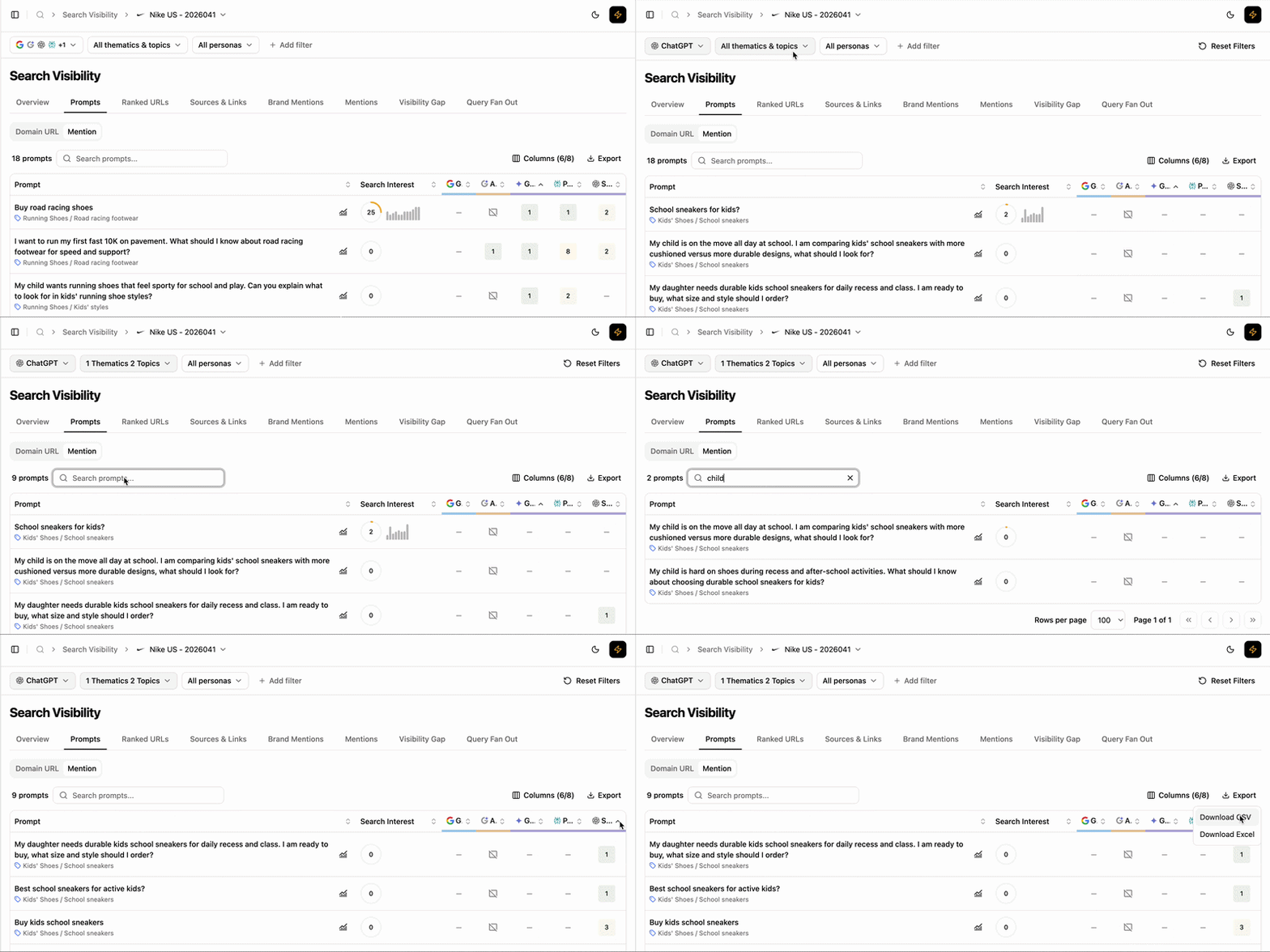
Extra table features
- Filters — refine the table and side panel data dynamically.
- Add/Hide columns — adapt the table to your workflow.
- Export — extract filtered tables to CSV or Excel.
- Search — find a prompt via the search bar.
- Sort — order by any column, ascending or descending.
What’s next
Visibility Gap
Compare prompt-level performance with competitors.
Fan-out Queries
See the internal queries LLMs use to build answers.