

What this view helps you analyse
The view bridges LLM reasoning and search visibility signals by showing:- how LLMs decompose a prompt into multiple internal queries,
- how stable or volatile these fan-out queries are,
- how engines differ in fan-out behaviour,
Identify global fan-out patterns
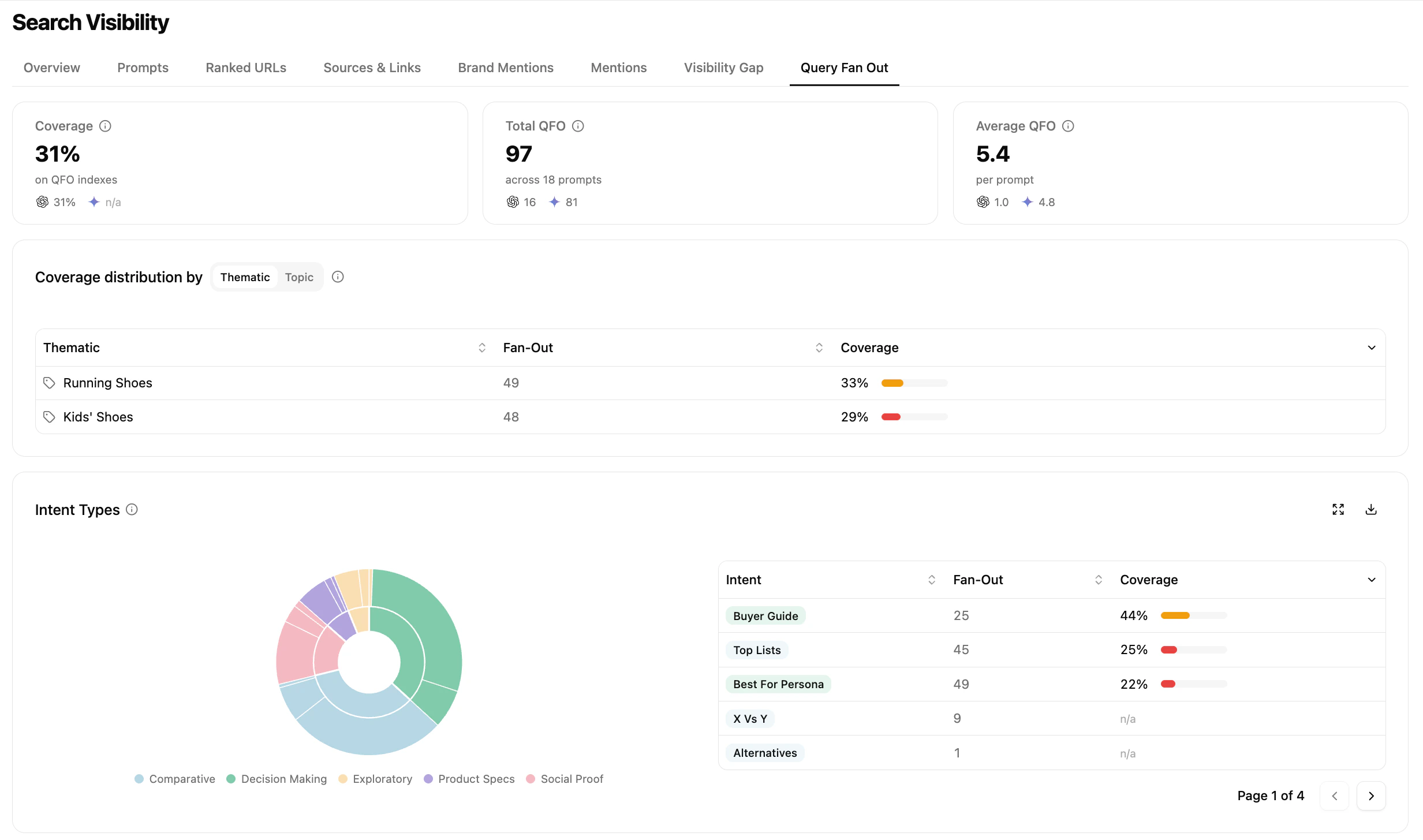
Fan-out overview dashboard
- Total QFO — total number of fan-out queries generated across tracked prompts
- Average QFO — average number of fan-out queries per prompt, by engine
- How broad is the fan-out explored by the model?
- On which topics or intent types is my coverage stronger or weaker?
- Do different engines behave differently at a high level?
Analyse individual fan-out queries
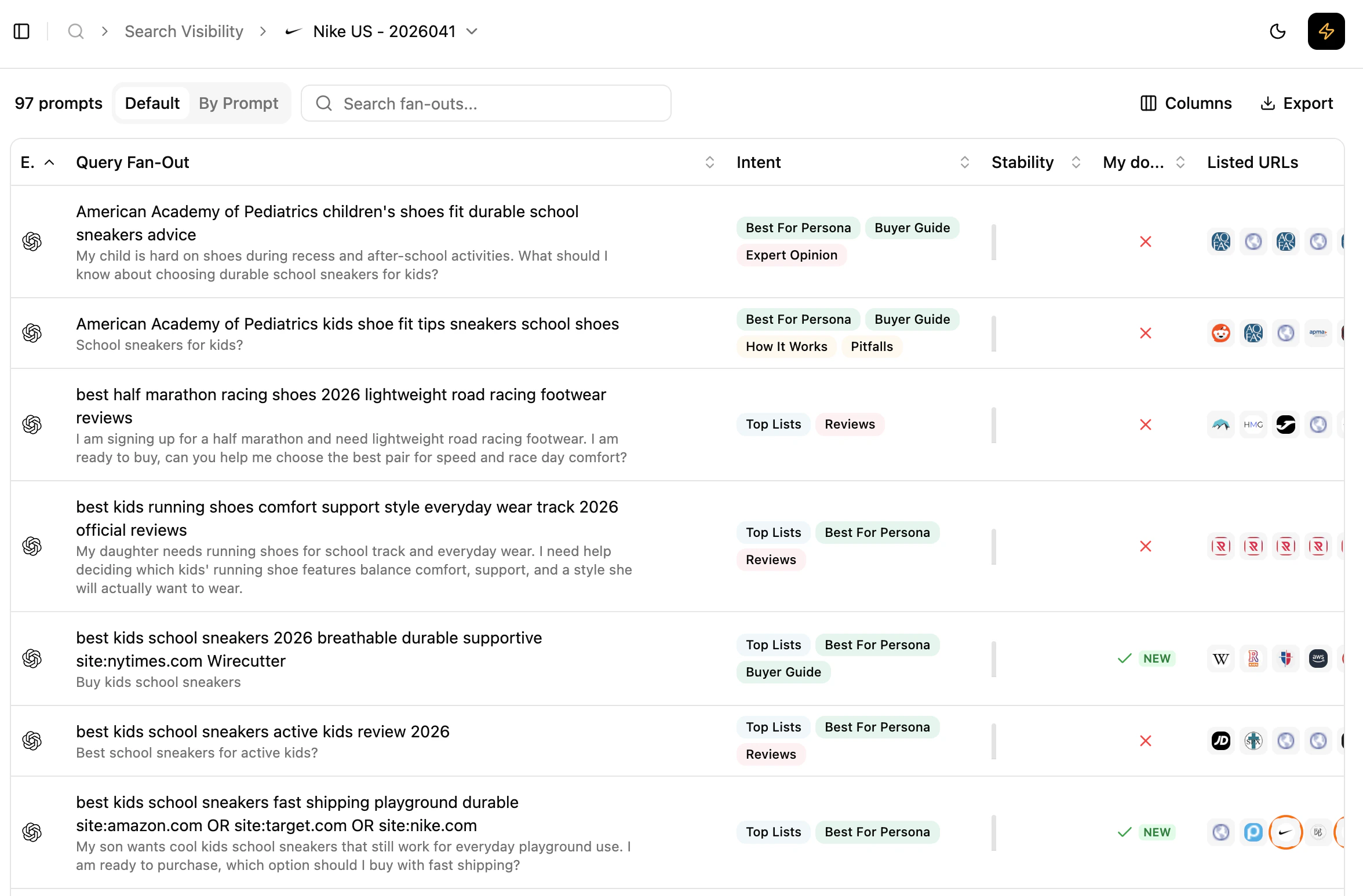
Detailed fan-out queries list
Grouped by: default) or grouped by prompt for cross-engine comparison. For each fan-out query you see:
- the fan-out query itself
- its associated intents
- its stability over the last 12 collects (one bar per collect where the fan-out was present)
- understand which internal queries the model relies on repeatedly,
- distinguish structural fan-out queries from occasional ones.
Depending on the model and API capabilities, fan-out visibility may be partial. It reflects the retrievable part of the model’s exploration, not its full internal reasoning.
Understand how a single prompt is decomposed
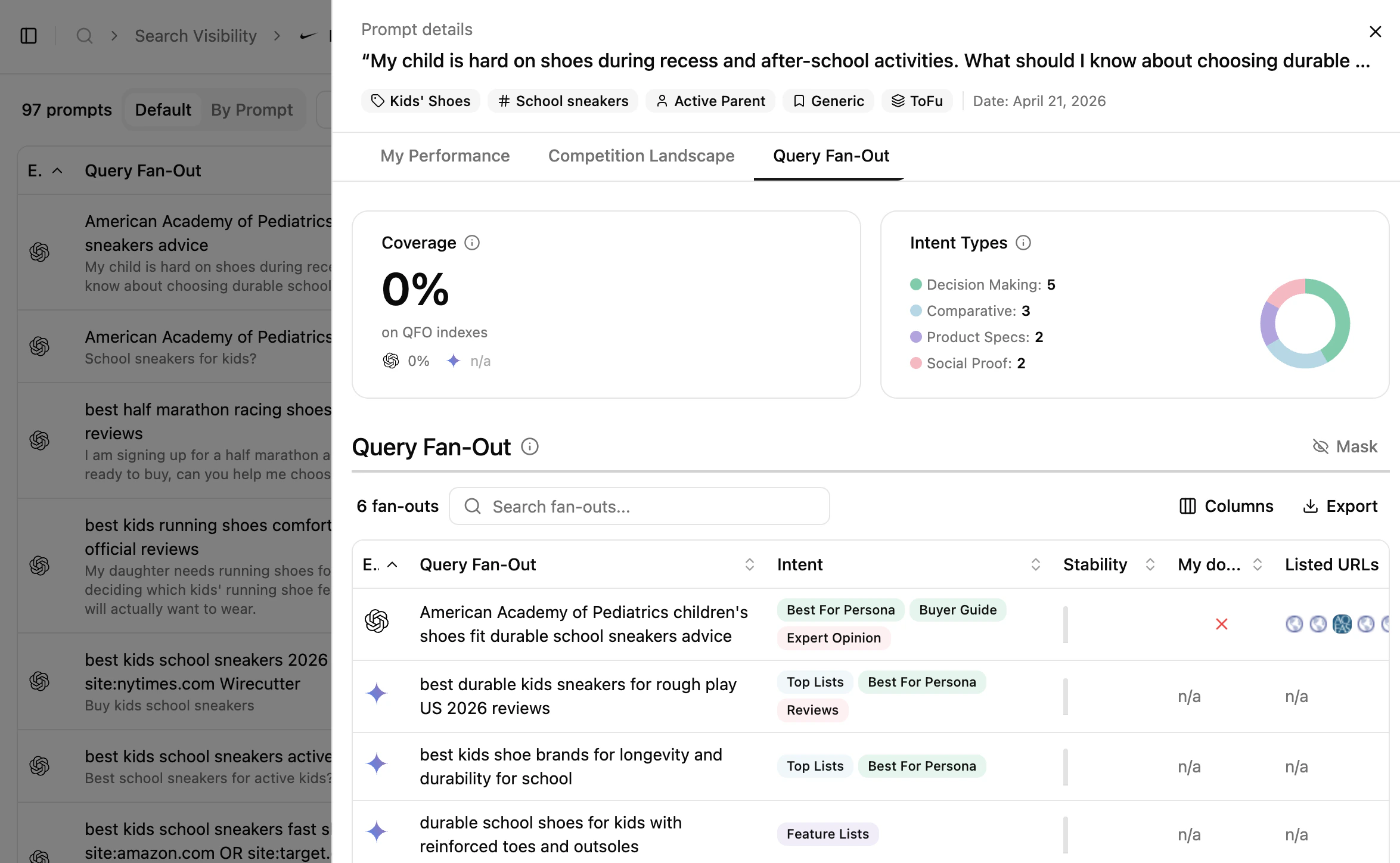
Prompt-level fan-out
Reading cues
These are signals to read, not rules.
- Fan-out queries that are stable over time often reflect core questions the model consistently asks itself.
- Differences across engines highlight engine-specific reasoning strategies.
- Recurring fan-out queries can be read as indicators of topics the model expects to find content about.
How to use this view effectively
What’s next
Query Fan-out Explained
Conceptual primer on fan-out behaviour.
Sources & Links
See how fan-out outcomes turn into sources and links.